- Master Your IPTV Experience
How to Install IPTV 2026 | Step-by-Step IPTV Setup Guide
Looking for a complete guide to get started with TEREATV IPTV? This TEREATV tutorial will walk you step by step through installation, setup, and usage on any device including smart TVs, mobile phones, and computers. Learn how to access over 50,000 live TV channels, explore 150,000+ Video on Demand titles, and enjoy high-quality 4K streaming without interruptions. Whether you're a beginner or an advanced user, this comprehensive guide ensures you make the most of your TEREATV IPTV subscription. Start streaming your favorite shows, sports, and movies effortlessly today!
Why TEREATV is the Best Choice for IPTV Streaming in 2026
With the increasing number of IPTV providers, the most important question remains: Why choose TEREATV? The answer is simply the combination of a competitive price, high quality, and stability. We guarantee you an exceptional viewing experience thanks to:
- Massive Content Library: Enjoy over 50,000 live TV channels from around the world, with a special focus on USA, UK, and Arabic channels, and more than 150,000 movies and series on demand (VOD).
- Superior Streaming Quality: Watch content in 4K and Full HD quality without lag or buffering, especially during important sports matches and live events.
- Comprehensive Device Compatibility: Whether you own an Amazon Firestick, Android TV, Samsung Smart TV, LG TV, iPhone, iPad, or Personal Computer (PC), you will find the appropriate guide to activate the service easily on our website.
- 24/7 Technical Support: Our team is ready to answer your inquiries and solve any technical problem you face to ensure your viewing pleasure.
Don't hesitate to try the service before subscribing through the 24-hour free trial available.
What is IPTV and How Does It Work in 2026?
IPTV stands for Internet Protocol Television, a technology that delivers television content over the internet instead of traditional satellite or cable formats. Unlike conventional broadcasting methods that transmit all channels simultaneously, IPTV sends only the channel you request, which saves bandwidth and allows for interactive features like pause, rewind, and video-on-demand (VOD).
With TEREATV, the process is simple: after subscribing, you receive an M3U playlist URL or Xtream Codes API credentials. You then enter these details into an IPTV player app on your preferred device, and instantly gain access to thousands of live channels and a massive library of movies and TV shows. This modern approach to television gives you the freedom to watch what you want, when you want, and on any device you choose.
How to Choose the Perfect IPTV Player for Your Device? (Comparison Guide)
After getting your TEREATV subscription, you will need an application (player) to run the channels on your device. Not every player is suitable for every device. Here is a quick guide to help you choose based on your needs:
For Firestick and Android TV Users:
TiviMate Application: It is considered the gold standard for Android TV boxes and Firestick devices. It offers an unparalleled user experience with an interface similar to traditional TV guides (EPG), the ability to create favorite lists, and schedule recordings. Check out our TiviMate installation guide.
IPTV Smarters Pro: A very popular and easy-to-use app, perfect for beginners. It supports all formats and allows easy login using the access code or URL provided by TEREATV. Learn how to install IPTV Smarters Pro.
For iPhone, iPad, and Apple TV Users:
IPTV Smarters Pro for iOS: The ideal solution for Apple device users. It features a smooth interface that supports features like AirPlay, allowing you to stream content to Apple TV. Follow the iPhone/iPad installation steps here.
GSE Smart IPTV: A powerful alternative that supports a wide range of file formats and offers advanced settings for professional users.
For Samsung and LG Smart TV Users:
DuplexPlay: One of the best apps dedicated to smart TVs, specifically designed to work with the unique operating systems (Tizen for Samsung and webOS for LG). It provides a smooth and integrated experience without the need for an external device. Read our DuplexPlay setup guide for Smart TVs.
Smart IPTV (SIPTV): A longstanding and reliable app in the world of smart TVs, known for its stability and ease of use.
For Windows PC and Laptop Users:
My IPTV Player: The best free application available on the Microsoft Store. It supports playback of M3U playlists and offers a great viewing experience on the Windows operating system. Download and install My IPTV Player for PC through our guide.
VLC Media Player: The classic, versatile player that can also play IPTV streams by simply pasting the playlist URL.
Understanding IPTV Protocols: Xtream Codes API vs. M3U Playlist
When setting up your TEREATV subscription, you'll encounter two main methods for connecting to the service. Understanding the difference helps you choose the best option for your needs:
Xtream Codes API: This is the modern and recommended method. Instead of a long playlist URL, you enter a server URL, username, and password directly into your player. This allows for additional features like EPG (Electronic Program Guide) integration, VOD categories, and series organization. Most modern players like TiviMate and IPTV Smarters Pro support this method.
M3U Playlist URL: This is the traditional method where you receive a single URL containing all your channel information. Simply paste this URL into your player. While simpler, it may lack some advanced organizational features. Both methods work perfectly with TEREATV, and you can choose whichever is more convenient for your player.
Essential Features to Look for in an IPTV Player
Not all IPTV players are created equal. To get the best experience with TEREATV, look for these key features in your chosen player:
- Electronic Program Guide (EPG): Allows you to see what's currently playing and what's coming up next, just like traditional TV guides.
- Catch-Up TV: Lets you watch programs that aired in the last 24-48 hours if you missed them live.
- Favorites List: Create a personalized list of your most-watched channels for quick access.
- Parental Controls: Lock specific channels or content with a PIN for child safety.
- Multi-Screen Support: Watch multiple channels simultaneously on one screen (supported by advanced players).
- External Player Integration: The ability to use external players like VLC or MX Player for enhanced playback options.
Advanced IPTV Setup Tips for Power Users
Once you've mastered the basics, you can optimize your IPTV experience with these advanced tips:
Use a VPN: While TEREATV has no IP lock, using a VPN can enhance your privacy and may improve streaming speeds by bypassing ISP throttling. Choose a VPN with fast servers and unlimited bandwidth.
Optimize Your Network: For the best 4K streaming experience, ensure your device is connected via Ethernet instead of Wi-Fi whenever possible. If using Wi-Fi, position your router close to your streaming device and minimize interference from other devices.
Customize EPG Sources: Some players allow you to add custom EPG sources. If the built-in guide isn't displaying correctly, you can manually add an EPG URL provided by TEREATV support.
Backup Your Configuration: After spending time setting up your favorite channels and customizing your player, use the backup feature (available in TiviMate and other advanced players) to save your configuration. This makes reinstallation much easier.
Troubleshooting Common IPTV Installation Issues
Even with the best service, you might encounter occasional technical issues. Here are solutions to the most common problems users face when installing and using IPTV:
Problem: App not found in the official store.
Solution: Some apps like TiviMate may not be available in all regional stores. You can sideload the app using Downloader on Firestick or enable "Install from Unknown Sources" on Android TV and download the APK from the official website.
Problem: "Invalid URL" or "Login Failed" error.
Solution: Double-check your credentials for typos. Ensure you're using the correct login method (Xtream Codes API vs. M3U URL). If the problem persists, contact TEREATV support for fresh credentials.
Problem: Buffering during playback.
Solution: Test your internet speed (minimum 25 Mbps recommended for 4K). Try lowering the streaming quality in the player settings. Use a wired connection instead of Wi-Fi. Consider using a VPN if your ISP is throttling streaming traffic.
Problem: No sound on some channels.
Solution: This is usually an audio codec issue. Try changing the audio track within the player or use an external player like VLC that supports more audio formats.
Problem: EPG not loading or showing incorrect information.
Solution: Force refresh the EPG in your player settings. If that doesn't work, manually add the EPG URL provided by TEREATV support.
Frequently Asked Questions About IPTV Installation and Usage
Do I need a powerful device to run IPTV smoothly?
Most modern devices, including Firestick 4K, Android TV boxes, smartphones, and smart TVs released in the last 5 years, are powerful enough to run IPTV smoothly. For the best 4K experience, we recommend devices with at least 2GB of RAM and good processing power.
Can I use my TEREATV subscription on multiple devices simultaneously?
Yes! TEREATV offers flexible plans ranging from 1 to 6 simultaneous connections. You can choose the plan that matches the number of devices in your household. Each connection allows one device to stream independently.
What internet speed do I need for buffer-free streaming?
For standard definition (SD): 5-10 Mbps. For high definition (HD): 15-20 Mbps. For 4K Ultra HD: 25 Mbps or higher. Remember that these speeds should be dedicated to streaming, so consider other devices using your network when choosing your plan.
Is IPTV legal?
IPTV technology itself is completely legal. TEREATV is a legitimate service provider. However, always ensure you're using your subscription to access content you have the rights to view. We recommend using your TEREATV subscription responsibly and in accordance with local laws.
What happens if I need to reset or change my device?
Your TEREATV subscription is tied to your account, not your device. If you get a new device, simply download the IPTV player app on the new device, enter your existing credentials (the same username, password, and URL you originally received), and you'll have full access restored instantly.
Comparing IPTV to Traditional Cable and Satellite TV
Many users are switching from traditional TV to IPTV for good reason. Here's how TEREATV compares to conventional services:
Cost: Traditional cable averages $80-$150+ per month with hidden fees. TEREATV starts at just $15/month with transparent pricing.
Channel Selection: Cable offers 200-500 channels. TEREATV offers 50,000+ channels from around the world.
Content Library: Cable has limited or paid VOD. TEREATV includes 150,000+ movies and shows for free.
Flexibility: Cable requires installation appointments and hardware. TEREATV activates instantly on your existing devices.
Contracts: Cable locks you into 1-2 year contracts. TEREATV has no contracts and no cancellation fees.
Portability: Cable works only in your home. TEREATV works anywhere with an internet connection.
The Future of IPTV: What to Expect in 2026 and Beyond
The IPTV industry continues to evolve rapidly. In 2026, we're seeing exciting trends that will enhance the viewing experience even further:
AI-Powered Recommendations: Advanced algorithms that learn your viewing habits and suggest content tailored specifically to your tastes.
Enhanced 8K Streaming: As 8K TVs become more affordable, IPTV services are preparing to deliver content in stunning 8K resolution.
Cloud DVR: Record your favorite shows to the cloud and watch them anytime, anywhere, without using local storage.
Interactive Features: Real-time polls, stats overlays for sports, and interactive advertisements that engage viewers.
Seamless Multi-Device Syncing: Start watching on your TV, pause, and resume exactly where you left off on your phone or tablet.
How to Install IPTV 2026 | Step-by-Step IPTV Setup Guide
👉 Access Code: 2368410 ⬇️ Download TereaTV app
https://youtu.be/a1EEkz48pPcHow to Install IPTV – Full TereaTV Setup Guide for 2026

Seamlessly Stream with DuplexPlay on Samsung & LG Smart TVs
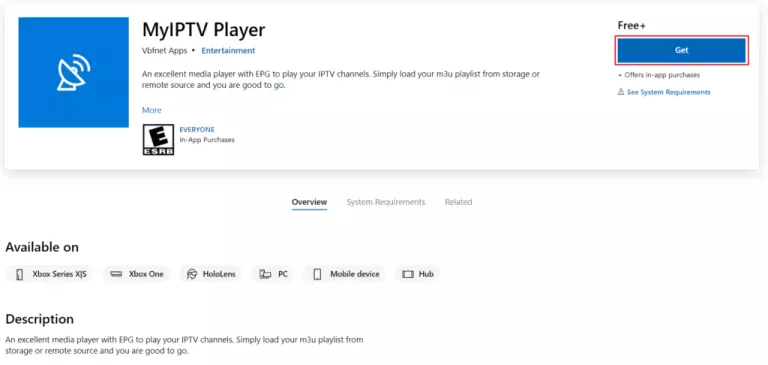
How to Install My IPTV Player for Windows PC
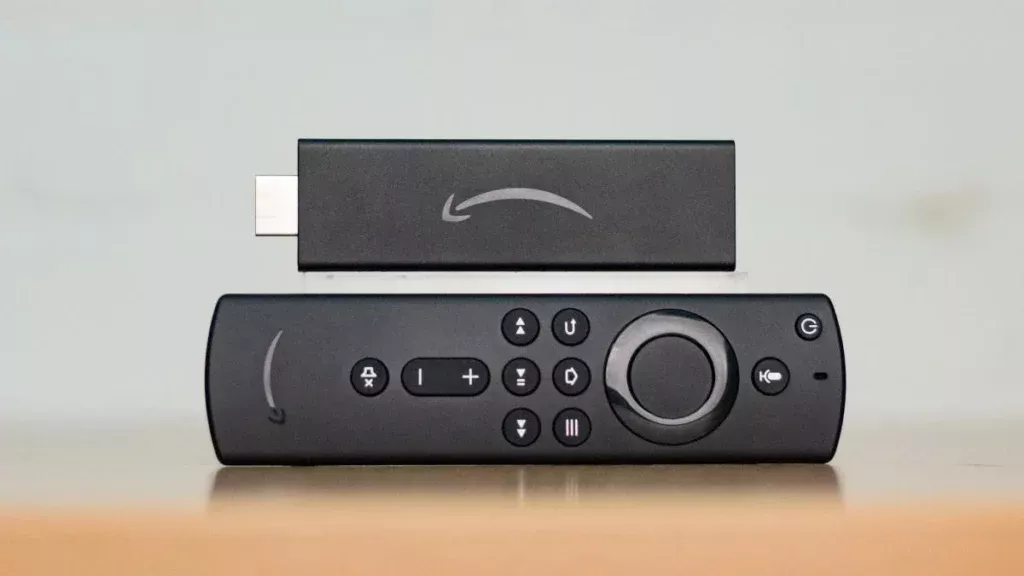
How to Install IPTV Smarters Player for Amazon Firestick

How to Install TiviMate IPTV Player | Firestick/Android TV
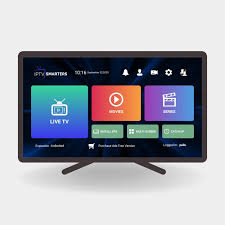
How to Install IPTV Smarters Pro on Firestick
Installing IPTV Smarters on Android Phones & Tablets