How to Watch IPTV on Smart TVs
How to Watch IPTV on Smart TVs 2025: Complete Setup Guide
Master the art of streaming with our comprehensive guide to setting up IPTV on Samsung, LG, Sony, and other Smart TV brands
What You'll Learn in This Guide

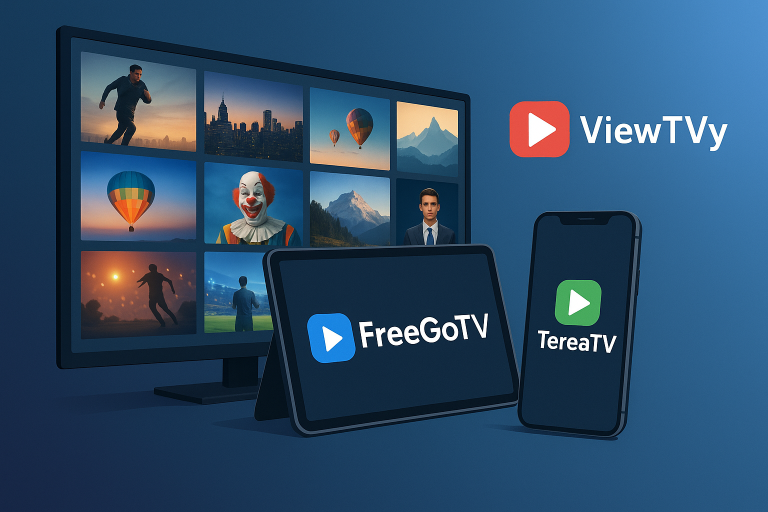
Smart TV streaming interface showcasing the future of entertainment technology
Wondering how to watch IPTV on Smart TVs in 2025? This comprehensive guide provides step-by-step instructions for setting up IPTV on all major Smart TV brands including Samsung, LG, and Sony. Furthermore, you'll discover the best IPTV apps, troubleshooting tips, and expert recommendations to enhance your streaming experience.
Additionally, we'll cover everything from basic setup procedures to advanced configuration options. Moreover, this guide includes real-world examples and practical solutions that work in 2025's current Smart TV ecosystem.
Understanding IPTV Technology in 2025
IPTV (Internet Protocol Television) has revolutionized how we consume television content. Unlike traditional cable or satellite broadcasting, IPTV delivers content through internet protocols. Consequently, this technology offers superior flexibility and often better picture quality than conventional methods.
In 2025, Smart TVs have become increasingly sophisticated. Therefore, most modern Smart TVs support IPTV natively through dedicated applications or built-in media players. However, the setup process varies significantly between different manufacturers and operating systems.
Key Benefits of IPTV on Smart TVs
- Cost-effective: Significantly cheaper than traditional cable subscriptions
- Vast content library: Access to thousands of channels worldwide
- On-demand viewing: Watch content whenever you want
- Multiple device support: Stream on TV, phone, tablet, and computer
- High-quality streaming: Support for 4K and HDR content
Smart TV Compatibility and Requirements
Before diving into setup procedures, it's essential to understand compatibility requirements. Most importantly, your Smart TV needs a stable internet connection and sufficient processing power to handle IPTV streams effectively.
| TV Brand | Operating System | IPTV App Support | Built-in Player | Recommended Method |
|---|---|---|---|---|
| Samsung | Tizen OS | Limited | Yes (Smart IPTV) | Smart IPTV App |
| LG | webOS | Good | Yes (SS IPTV) | SS IPTV App |
| Sony | Android TV | Excellent | Multiple options | IPTV Smarters Pro |
| TCL | Android TV/Roku | Good | Yes | TiviMate or IPTV Smarters |
| Hisense | VIDAA/Android | Moderate | Limited | External streaming device |
Setting Up IPTV on Different Smart TV Brands

Multiple Smart TV brands ready for IPTV setup and configuration
Samsung Smart TVs (Tizen OS)
Samsung TVs running Tizen OS require specific applications for IPTV streaming. Fortunately, the Smart IPTV app provides excellent compatibility with most IPTV services.
Step-by-Step Setup:
- Press the Home button on your Samsung remote
- Navigate to Apps and search for "Smart IPTV"
- Download and install the Smart IPTV application
- Launch the app and note the MAC address displayed
- Visit siptv.eu/mylist on your computer
- Enter your MAC address and upload your M3U playlist
- Return to your TV and restart the Smart IPTV app
- Your channels should now appear in the app
LG Smart TVs (webOS)
LG's webOS platform offers better IPTV app support compared to Samsung. Moreover, the SS IPTV app provides a user-friendly interface for IPTV streaming.
Step-by-Step Setup:
- Press the Home button on your LG remote
- Open the LG Content Store
- Search for and install "SS IPTV"
- Launch SS IPTV from your app list
- Select "Add Playlist" from the main menu
- Choose "Remote Playlist" and enter your M3U URL
- Alternatively, use "Local Playlist" for file uploads
- Save the playlist and enjoy your IPTV channels
Sony Smart TVs (Android TV)
Sony's Android TV platform provides the most flexibility for IPTV applications. Consequently, users have access to multiple high-quality IPTV apps through the Google Play Store.
Step-by-Step Setup:
- Press the Home button on your Sony remote
- Navigate to Google Play Store
- Search for "IPTV Smarters Pro" or "TiviMate"
- Download and install your preferred IPTV app
- Launch the application
- Select "Add Playlist" or "Login"
- Enter your IPTV service credentials or M3U URL
- Configure EPG (Electronic Program Guide) if available
Best IPTV Apps for Smart TVs in 2025
Choosing the right IPTV application significantly impacts your viewing experience. Therefore, we've compiled a list of the most reliable and feature-rich IPTV apps available in 2025.
🏆 IPTV Smarters Pro
Best for: Android TV, Firestick
Offers excellent EPG support, multiple playlist management, and parental controls. Furthermore, it provides a clean, intuitive interface that's perfect for beginners.
⭐ TiviMate
Best for: Advanced users
Premium features include recording capabilities, multiple playlist support, and advanced EPG customization. Additionally, it offers the most professional TV-like experience.
🎯 Smart IPTV
Best for: Samsung TVs
Specifically designed for Samsung Tizen OS. Moreover, it provides reliable streaming with minimal setup requirements and good stability.
🚀 SS IPTV
Best for: LG webOS
Native LG app with excellent performance. Furthermore, it supports multiple playlist formats and offers good customization options.
💎 Perfect Player
Best for: Customization
Highly customizable interface with extensive theme options. Additionally, it supports advanced features like timeshift and recording.
🔥 GSE Smart IPTV
Best for: Multi-platform
Available across multiple platforms with cloud synchronization. Moreover, it offers excellent EPG support and parental controls.
Alternative Setup Methods
Sometimes, direct Smart TV apps may not provide the best experience. Therefore, alternative methods can offer better performance and more features.
Using External Streaming Devices
External streaming devices often provide superior IPTV performance compared to built-in Smart TV apps. Consequently, many users prefer this approach for better reliability and features.
✅ Advantages
- Better app selection and updates
- Superior processing power
- More stable streaming performance
- Regular security updates
- Better remote control options
❌ Disadvantages
- Additional hardware cost
- Extra remote control needed
- More cables and setup complexity
- Potential HDMI port limitations
- Power consumption increase
Recommended External Devices
- NVIDIA Shield TV Pro: Premium option with excellent performance
- Amazon Fire TV Stick 4K Max: Budget-friendly with good features
- Apple TV 4K: Best for iOS ecosystem integration
- Chromecast with Google TV: Great value with Google services
- Roku Ultra: User-friendly interface with wide app support
Troubleshooting Common IPTV Issues

Advanced server infrastructure ensuring reliable IPTV streaming performance
Even with proper setup, IPTV streaming can encounter various issues. However, most problems have straightforward solutions that you can implement yourself.
Buffering and Streaming Issues
⚠️ Important Note
Buffering issues are often related to internet connection quality rather than the IPTV service itself. Therefore, always check your network performance first.
Common causes and solutions:
- Slow internet connection: Ensure you have at least 25 Mbps for 4K streaming
- Network congestion: Use 5GHz WiFi or wired connection when possible
- Server overload: Try different servers or contact your IPTV provider
- App cache issues: Clear app cache and restart the application
- Outdated app version: Update your IPTV app to the latest version
Channel Loading Problems
When channels fail to load, the issue typically stems from playlist configuration or server connectivity. Moreover, these problems often have simple solutions.
Troubleshooting Steps:
- Verify your M3U playlist URL is correct and active
- Check if your IPTV subscription is still valid
- Test the playlist on a different device or app
- Clear app data and reconfigure from scratch
- Contact your IPTV provider for server status updates
Optimizing Your IPTV Experience
Beyond basic setup, several optimization techniques can significantly improve your IPTV streaming quality. Furthermore, these adjustments ensure consistent performance across different content types.
Network Optimization
Your network configuration plays a crucial role in IPTV performance. Therefore, proper optimization can eliminate most streaming issues.
- Use wired connections: Ethernet provides more stable connectivity than WiFi
- Optimize WiFi settings: Use 5GHz band and position router centrally
- Quality of Service (QoS): Prioritize streaming traffic on your router
- DNS optimization: Use Google DNS (8.8.8.8) or Cloudflare (1.1.1.1)
- Bandwidth monitoring: Ensure other devices aren't consuming excessive bandwidth
App Configuration Tips
Proper app configuration can dramatically improve your viewing experience. Additionally, these settings help prevent common streaming problems.
Buffer Settings
Increase buffer size for unstable connections. However, larger buffers may increase channel switching time.
Video Decoder
Use hardware decoding when available. Moreover, this reduces CPU usage and improves performance.
EPG Configuration
Set up Electronic Program Guide for better channel navigation. Furthermore, this enhances the traditional TV experience.
Parental Controls
Configure age restrictions and content filtering. Additionally, this ensures family-friendly viewing environments.
Legal Considerations and Best Practices
When using IPTV services, it's essential to understand legal implications and follow best practices. Moreover, choosing legitimate providers protects you from potential legal issues.
🔒 Legal IPTV Usage Guidelines
- Always use legitimate IPTV service providers
- Verify that your provider has proper content licensing
- Avoid free IPTV services that seem too good to be true
- Read terms of service carefully before subscribing
- Use VPN services for additional privacy protection
Legitimate IPTV providers offer reliable service, customer support, and legal content distribution. Furthermore, they provide better streaming quality and consistent availability compared to illegal alternatives.
Choosing the Right IPTV Service Provider
Selecting a reliable IPTV provider is crucial for optimal streaming experience. Therefore, consider these factors when making your decision:
Key Selection Criteria
- Content variety: Ensure the service offers channels you actually watch
- Streaming quality: Look for providers offering 4K and HD content
- Server reliability: Check uptime statistics and user reviews
- Customer support: Responsive support is essential for technical issues
- Device compatibility: Verify support for your specific Smart TV model
- Trial periods: Test the service before committing to long-term subscriptions
For those seeking reliable IPTV services, consider exploring IPTV Subscription 2025 Best Plans for comprehensive service comparisons and recommendations.
Advanced Features and Customization
Modern IPTV applications offer advanced features that enhance the viewing experience significantly. Moreover, these features often differentiate premium services from basic offerings.
Recording and Timeshift Capabilities
Many IPTV apps now support recording and timeshift functionality. Consequently, you can pause live TV, record programs, and create your own content library.
Setting Up Recording Features:
- Ensure your IPTV app supports recording (TiviMate, Perfect Player)
- Configure storage location (internal storage or external USB)
- Set up recording schedules using EPG data
- Adjust recording quality settings based on storage capacity
- Test recording functionality with short programs first
Multi-Screen and Picture-in-Picture
Advanced IPTV setups support multiple simultaneous streams. Furthermore, picture-in-picture functionality allows monitoring multiple channels simultaneously.
Future of IPTV on Smart TVs
The IPTV landscape continues evolving rapidly in 2025. Additionally, emerging technologies promise even better streaming experiences in the near future.
Emerging Trends
- 8K streaming support: Next-generation content delivery for ultra-high resolution
- AI-powered recommendations: Personalized content suggestions based on viewing habits
- Cloud DVR integration: Unlimited recording storage through cloud services
- Voice control enhancement: Improved voice commands for channel navigation
- Cross-platform synchronization: Seamless viewing across multiple devices
Frequently Asked Questions (FAQ)
IPTV (Internet Protocol Television) delivers television content through internet protocols rather than traditional broadcast methods. On Smart TVs, IPTV works through dedicated apps or built-in players that stream content directly from IPTV servers. The technology uses your internet connection to deliver live TV, on-demand content, and interactive services directly to your television.
Most major Smart TV brands support IPTV including Samsung (Tizen OS), LG (webOS), Sony (Android TV), TCL, Hisense, and others. The availability depends on the operating system and app store support. Android TV platforms generally offer the best IPTV app selection, while Samsung and LG have more limited but still functional options.
Yes, IPTV requires a stable internet connection. For HD streaming, you need at least 10-15 Mbps, while 4K content requires 25+ Mbps. Additionally, a wired ethernet connection provides better stability than WiFi. The quality of your internet connection directly impacts streaming performance and buffering issues.
While free IPTV services exist, they often come with significant limitations including poor streaming quality, frequent buffering, limited channel selection, and potential legal issues. Moreover, free services typically lack customer support and may contain malware. It's recommended to use legitimate paid IPTV services for better reliability and legal compliance.
IPTV delivers content through internet protocols, while cable TV uses traditional coaxial cable infrastructure. IPTV offers advantages including lower costs, more channel variety, on-demand content, and multi-device support. However, IPTV requires a stable internet connection, while cable TV works independently of internet connectivity.
Buffering issues can be resolved by: checking your internet speed (ensure 25+ Mbps for 4K), using wired connection instead of WiFi, clearing app cache, updating the IPTV app, changing to a different server, or contacting your IPTV provider. Additionally, closing other internet-consuming applications can help improve streaming performance.
IPTV technology itself is completely legal. However, the legality depends on the content provider and whether they have proper licensing for the content they distribute. Always choose legitimate IPTV providers that have proper content licensing agreements. Avoid services that offer premium channels at suspiciously low prices, as these may be operating illegally.
Recording capabilities depend on your IPTV app and Smart TV model. Apps like TiviMate and Perfect Player support recording features on Android TV platforms. However, Samsung and LG Smart TVs have limited recording support through their native IPTV apps. For better recording functionality, consider using external streaming devices with advanced IPTV applications.
Ready to Start Your IPTV Journey?

Transform your home entertainment with cutting-edge IPTV technology
Transform your Smart TV into an entertainment powerhouse with premium IPTV services. Experience thousands of channels, on-demand content, and crystal-clear streaming quality.
🎯 Start Free Trial 📺 View PlansJoin thousands of satisfied customers who have already made the switch to TEREATV's premium IPTV service. Furthermore, our 24/7 customer support ensures you'll never miss your favorite shows.
Conclusion
Setting up IPTV on Smart TVs in 2025 has become more accessible than ever before. Moreover, with the right knowledge and tools, anyone can enjoy premium streaming experiences without the high costs of traditional cable subscriptions.
Throughout this comprehensive guide, we've covered everything from basic setup procedures to advanced optimization techniques. Additionally, we've provided troubleshooting solutions and recommendations for the best IPTV applications available in 2025.
Remember that choosing a legitimate IPTV provider is crucial for both legal compliance and optimal streaming quality. Furthermore, proper network optimization and app configuration can significantly enhance your viewing experience.
Whether you're using Samsung, LG, Sony, or any other Smart TV brand, the principles and methods outlined in this guide will help you achieve professional-quality IPTV streaming. Moreover, as technology continues advancing, these foundational concepts will remain relevant for future IPTV developments.
Take advantage of TEREATV's free trial to experience premium IPTV service firsthand. Additionally, explore our comprehensive subscription plans designed to meet every viewing preference and budget requirement.