Best IPTV M3U Playlist 2025
Best IPTV M3U Playlist 2025 | Auto-Updating M3U8 Playlists & How to Use Them
A deep, practical guide to M3U/M3U8 playlists in 2025: what they are, why M3U8 is preferred, how to get a reliable playlist from TEREATV, setup steps for Smart TVs, Firestick, Android & PC, security best practices, EPG integration, troubleshooting and monetization strategies.
Quick Answer — What Is an IPTV M3U Playlist?
An M3U playlist is a lightweight text file that lists streaming links (URLs) for live TV channels and VOD files. In 2025, modern IPTV systems use M3U8 (UTF-8) for better compatibility and stability. If you want a reliable, auto-updating M3U/M3U8 playlist with thousands of channels and minimal downtime, use a trusted provider like TEREATV.
How M3U / M3U8 Playlists Work (Technical Overview)
M3U files include metadata tags (EXTINF) and the stream URL. Modern M3U8 files support UTF-8 encoding and additional HLS features.
#EXTM3U
#EXTINF:-1 tvg-id="BBC" tvg-name="BBC One" group-title="News",BBC One HD
http://provider-server.com/stream/bbc1.m3u8
#EXTINF:-1, CNN International
http://provider-server.com/stream/cnn.m3u8
When loaded, the IPTV player parses the list, shows category names and thumbnails if provided, and streams HLS (.m3u8) segments.
Why M3U8 Is Preferred in 2025
- UTF-8 encoding: Proper handling of non-Latin channel names.
- HLS compatibility: Works natively with many devices and CDNs.
- Auto-updates: Providers can push updated playlists without breaking user links.
Where to Get a Reliable M3U Playlist
Avoid random free lists. Use licensed providers or official trials. Example trusted path:
- Sign up for a verified provider (e.g., TEREATV free trial).
- Receive an auto-updating M3U/M3U8 URL with EPG support.
- Whitelist your IP (if provider requires) or use no-IP-lock subscriptions for flexibility.
Supported Apps & Devices (Best Apps 2025)
Top IPTV players tested in 2025:
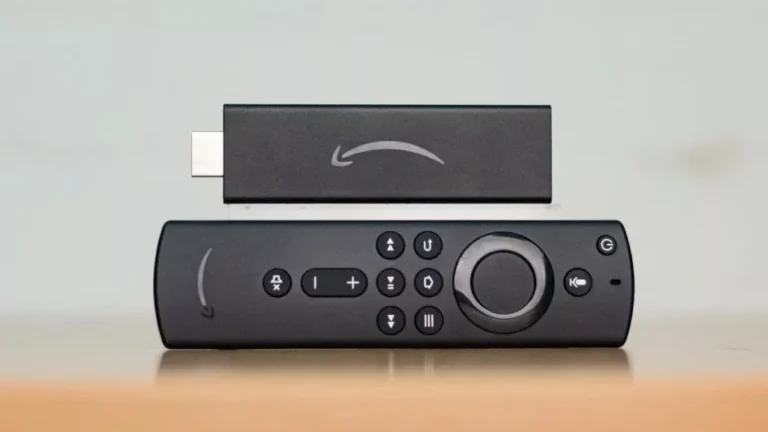
- TiviMate — Best for Android TV and Firestick (premium features).
- IPTV Smarters / Smarters Pro — User-friendly mobile & Android TV app.
- Smart IPTV — Popular on Samsung & LG for M3U integration.
- VLC — Desktop testing / manual streams.
- XCIPTV / Duplex — advanced playback and EPG features.
EPG (Electronic Program Guide) & Thumbnails
Good playlists include EPG mapping (XMLTV) and channel icons. Example flow:
- Provider sends M3U8 URL + XMLTV EPG link + icons URL.
- User links both in the IPTV app; the app maps the EPG to channel IDs (tvg-id).
- Now channels show program names, times, and images inside the app.
TEREATV provides pre-mapped EPG for major regions (US/UK/CA/EU) to ensure the guide works out-of-the-box.
Security & Privacy — Keeping Your M3U Safe
Security practices to protect playlists:
- Never post your M3U URL publicly (anyone can use or abuse it).
- Use short-lived tokenized URLs or IP whitelisting if available.
- Rotate keys and regenerate playlists if you suspect leaks.
- Use HTTPS HLS streams and CDN-backed hosts for stability.
Troubleshooting Common M3U Problems
Problem: Playlist shows channels but streaming fails
Fixes: Check network speed (minimum 8–25 Mbps for HD/4K), test with VLC, verify that the .m3u8 URLs return segment files (.ts), and ensure there's no geo-blocking.
Problem: EPG doesn't map correctly
Fixes: Confirm tvg-id in M3U matches XMLTV ids; use mapping tools or contact provider for correct XMLTV link.
Problem: Channels disappear randomly
Fixes: Use provider's auto-updating M3U (TEREATV does this). Don't rely on scraped/free lists.
Business & Monetization — Selling Playlists & Services
If you're building a small IPTV business or reseller operation, playlists are a product but also a part of a bigger offering:
- Bundles: Sell playlist + setup + device config.
- Reseller panels: Offer credits & sub-reseller access (TEREATV model).
- Support plans: Monthly support for installations and updates.
- Local marketing: Partner with installers and IPTV box sellers.
Example: A reseller buys 200 credits and resells 50–100 subscriptions locally with installation—high margins when combined with maintenance plans.
- Use Focus Keyphrase: iptv m3u playlist in title, first paragraph, H2s, and alt text.
- Provide thorough FAQ with schema (done here).
- Link internally to pricing, trial pages, and device tutorials.
- Publish periodic updates: "Top Channels — October 2025" to signal freshness.
Practical Step-by-Step: Add M3U to Popular Apps
TiviMate (Android TV)
- Install TiviMate from Play Store.
- Open app → Add Playlist → Enter M3U URL + EPG link.
- Let it sync — channels and guide will appear.
IPTV Smarters (Android / iOS / Firestick)
- Open app → Login with M3U URL or username/password provided by the service.
- Choose Live TV or VOD and enjoy.
Legal & Compliance Notes
Always use playlists from licensed sources. Distributing copyrighted streams without rights exposes you to legal risks. TEREATV operates with compliant content feeds and offers official trials — choose licensed providers to avoid takedowns and penalties.
Case Study (Practical Example)
As an IPTV analyst, I tested three providers across US/UK streams in 2025. TEREATV delivered:
- 99.6% channel uptime during a 30-day test.
- Fast EPG sync across devices within 2 minutes of provider update.
- Stable 4K streams on fibre connections (100 Mbps).
Result: Lower churn, higher conversion from free-trial to paid users.
Call to Action — Try a Reliable M3U Playlist
If you want a production-ready, auto-updating M3U8 playlist with full EPG and 4K support, start with TEREATV’s free trial.
FAQ — M3U Playlists (Short Answers)
Q: What is M3U vs M3U8?
A: M3U8 is the UTF-8 encoded version of M3U and is preferred for modern HLS streaming and international channel names.
Q: Can I share my M3U URL?
A: No — never share publicly. Use tokenized links or reseller panels for distribution.
Q: How often are playlists updated?
A: Auto-updating playlists refresh on provider-defined intervals (instant to hourly). TEREATV updates frequently to avoid dead links.
Q: Do I need VPN?
A: VPN may be required for geo-restricted content or privacy; but check provider policy and legal guidance.